

ChatGPT Team alternative for companies: a practical guide (2026)
Short answer: A ChatGPT Team alternative is a company AI workspace that gives your whole team shared access without charging per seat. ChatGPT Business (the renamed Team plan) still bills per user at about $25/month. Teams that outgrow seat math, need Claude or Gemini beside GPT, or want EU-hosted data by default often evaluate platforms like DIMA instead.

What happened to ChatGPT Team?
ChatGPT Team was renamed ChatGPT Business in August 2025. The product did not disappear. OpenAI kept the same workspace idea: a shared environment where colleagues chat, build GPTs, and connect company knowledge. What changed over time is pricing structure, seat types, and usage limits.
If you are searching for a "ChatGPT Team alternative" in 2026, you are usually comparing against ChatGPT Business, not a legacy SKU. That matters for budget conversations because finance teams will see "Business" on the invoice even when IT still says "Team."
Sources: OpenAI Help Center: What is ChatGPT Business? · OpenAI Business pricing
How much does ChatGPT Business cost per seat in 2026?
ChatGPT Business Standard seats cost $25 per user per month on monthly billing, or $20 per user per month when billed annually. The plan requires a minimum of two seats. A ten-person team on monthly billing pays about $250 before tax, before any Premium seats, workspace credits, or third-party image and video tools.
OpenAI also sells Premium seats at $125/month (monthly) or $100/month (annual). Premium removes the five-hour usage cap on Standard seats and includes roughly five times more capacity. That is useful for power users, but it makes uneven teams expensive fast: five Premium seats alone can exceed $500/month.
| Seat type | Monthly price (USD) | Annual price (USD) | Best for |
|---|---|---|---|
| Standard | $25/user | $20/user | Everyday chat and Codex access |
| Premium | $125/user | $100/user | Heavy analysis, coding, agent workloads |
| Workspace credits | Variable | Variable | Usage beyond included rate limits |
The hidden line item: Standard seats include baseline access, not unlimited usage. Teams that hit caps buy workspace credits. Teams that need images, video, or non-OpenAI models often stack separate subscriptions on top.
For a live seat-by-seat comparison against a flat company plan, use the ChatGPT vs DIMA cost calculator on our comparison page. This article explains when that math starts to hurt. The calculator shows how much.

When does per-seat pricing make sense?
Per-seat pricing works when a small, stable group uses one model provider and you do not need shared department memory or multi-vendor models.
ChatGPT Business is a strong fit when:
- You have two to fifteen people with similar usage patterns.
- OpenAI models are enough. GPT, Codex, and workspace agents cover the workflow.
- You want OpenAI's native roadmap. Workspace agents, Slack integration, and GPT Store assets matter more than Claude or Gemini in the same thread.
- US-hosted data is acceptable for your legal and security review.
- Usage is predictable. You are not constantly buying credits or upgrading individuals to Premium.
A marketing lead who lives in ChatGPT five hours a day and a finance analyst who opens it twice a week do not cost the same to serve, but per-seat billing charges them identically. That is not a bug. It is the model.
When do companies start looking for a ChatGPT Team alternative?
Companies look for alternatives when seat math diverges from value: more people need access, more models enter the stack, or compliance requirements outgrow a single-vendor chat workspace.
These patterns show up repeatedly in mid-market procurement:
1. Headcount grows faster than AI budget
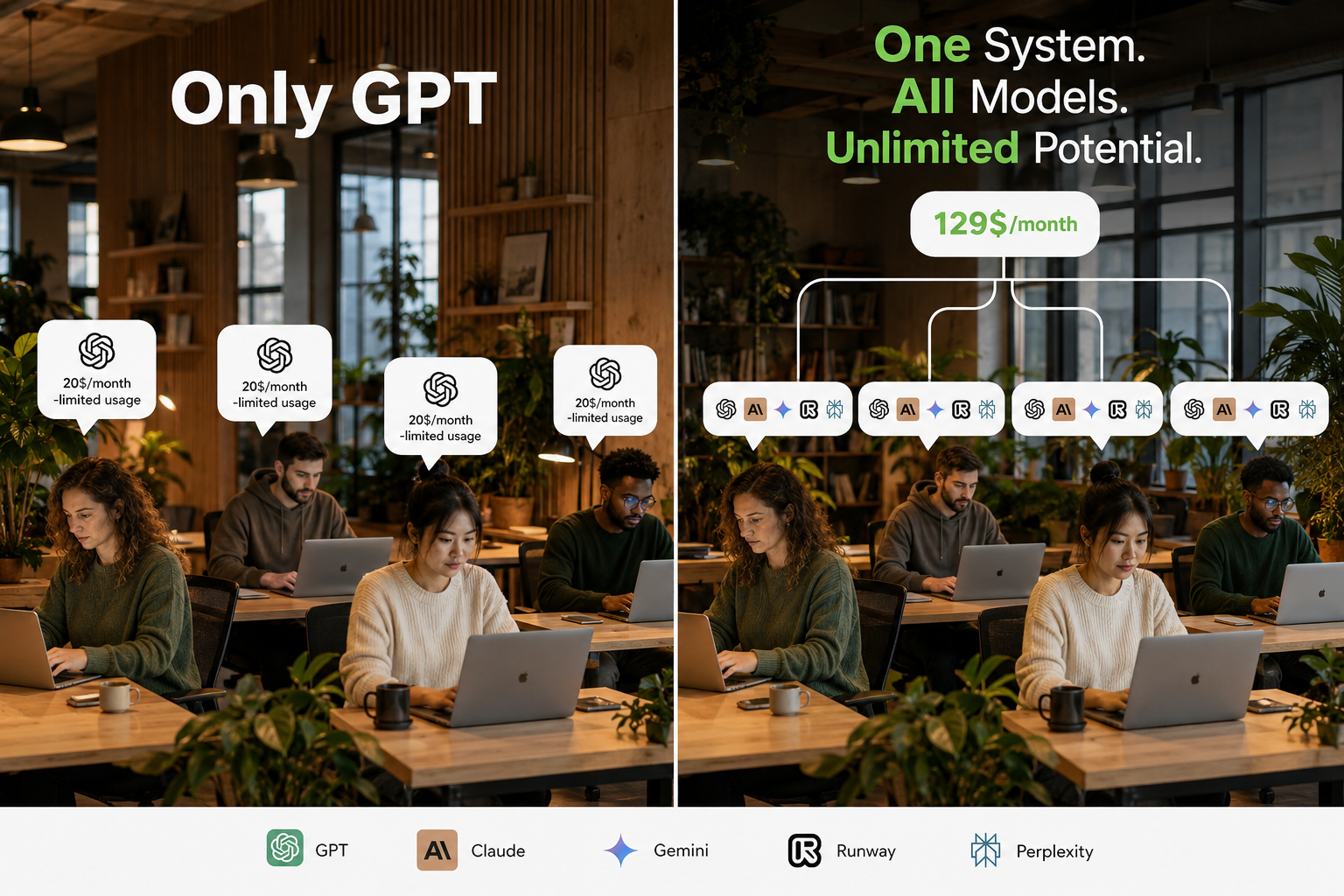
Every new hire triggers another seat. Interns, contractors, and part-time staff multiply cost even when usage is light. A 40-person company on Standard seats pays about $1,000/month before extras. Finance starts asking why AI is priced like Salesforce when half the seats barely log in.
2. The stack fragments across vendors
ChatGPT for text. Claude for long documents. Gemini for multimodal tasks. Midjourney or Runway for creative. Perplexity for research. Each tool adds another login, another invoice, and another place where context gets lost.
The landing comparison at dima-ai.com/chatgpt-teams-alternative focuses on product fit. This guide focuses on procurement mechanics: once you need three model families, per-seat GPT pricing is only the first line on the spreadsheet.
3. Work lives in people, not in rooms
In many ChatGPT workspaces, history attaches to the person. When someone leaves, their threads and custom GPTs leave with them. Operations teams want department rooms where files, agents, and chat history stay with the workspace.
That is a workflow design question, not a model quality question. It is also one of the main reasons companies evaluate workspace-first platforms.
4. EU data residency is non-negotiable
European buyers often need customer data, internal documents, and generated outputs stored in the EU by default. ChatGPT Business offers strong privacy controls, but data residency options differ by plan tier. Enterprise adds regional controls that Business lacks.
If your DPA checklist starts with "where do prompts and uploads land," read the vendor's current residency documentation before you scale seats.

- EU teams frequently separate "we do not train on your data" from "your data stays in the EU." Those are related but not identical requirements. Image: Wikimedia Commons.
ChatGPT Business vs company workspace: what are you actually buying?
ChatGPT Business sells access to OpenAI's environment. A company workspace sells shared infrastructure for AI work across models.
| Question | ChatGPT Business | Company workspace (e.g. DIMA) |
|---|---|---|
| Pricing unit | Per seat | Plan tier (often unlimited users on Premium) |
| Model choice | OpenAI | Multiple providers in one thread |
| Media | Limited native; extras common | Image and video on same account |
| Automation | Workspace agents (Codex-based) | Department agents and workflows |
| Admin | Workspace settings | Roles, spend caps, audit logs |
| Best for | OpenAI-native teams | Multi-model, multi-department ops |
Neither column wins everywhere. ChatGPT Business is the incumbent for a reason: model quality, brand trust, and a fast path for small teams.
DIMA and similar platforms win when the invoice should not scale with headcount and when the same colleague needs GPT and Claude in one place. See the side-by-side verdict on the ChatGPT Teams alternative page for a product-level breakdown. This table is for buyers writing internal memos.
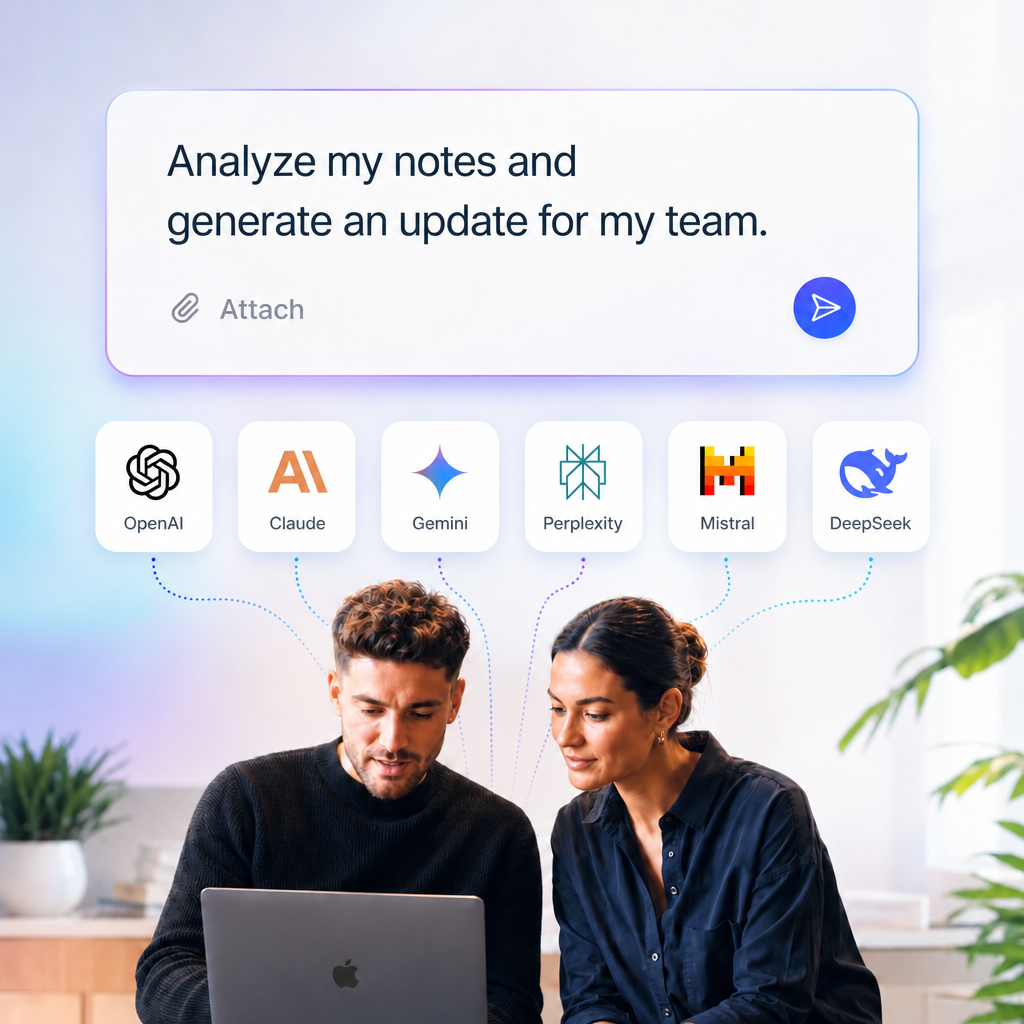
- Switching models mid-conversation is a workflow feature, not a gimmick. Procurement teams should ask whether multi-model access removes duplicate subscriptions. Image: DIMA.
What is the real total cost of ownership?
TCO for company AI is seat fees plus usage overages plus every parallel tool your team already pays for.
Use this checklist before you approve another year of per-seat billing:
Direct costs
- Standard or Premium seats × headcount
- Workspace credits when teams hit rate limits
- Annual vs monthly billing difference (often 20%)
Parallel subscriptions (common in ChatGPT-only setups)
- Image generation (~$20/month per team)
- Video generation (~$25/month per team)
- Research or search copilots
- Second chat vendor for Claude or Gemini
Operational costs (often ignored)
- IT time provisioning and deprovisioning seats
- Security review per vendor
- Onboarding friction when each tool has its own memory
- Lost context when staff turnover breaks continuity
A ten-person team paying $250/month for ChatGPT Standard seats can easily land above $350 to $400/month once image and video tools enter the picture. That is still cheaper than five Premium seats. It is not cheaper than a flat €129/month unlimited-user plan if your whole company needs daily access.
> Want the numbers for your team size? Run your scenario on the interactive cost calculator. It includes optional image and video line items that pure seat calculators skip.
How do workspace agents change the decision?
OpenAI workspace agents turn repeatable tasks into shared Codex-powered workflows inside ChatGPT and Slack.
- They are a meaningful upgrade for teams that live entirely inside OpenAI's stack.
Agents help with report assembly, code tasks, and multi-step processes without re-explaining instructions each time. For many companies, that closes the automation gap that previously pushed them toward third-party orchestration tools.
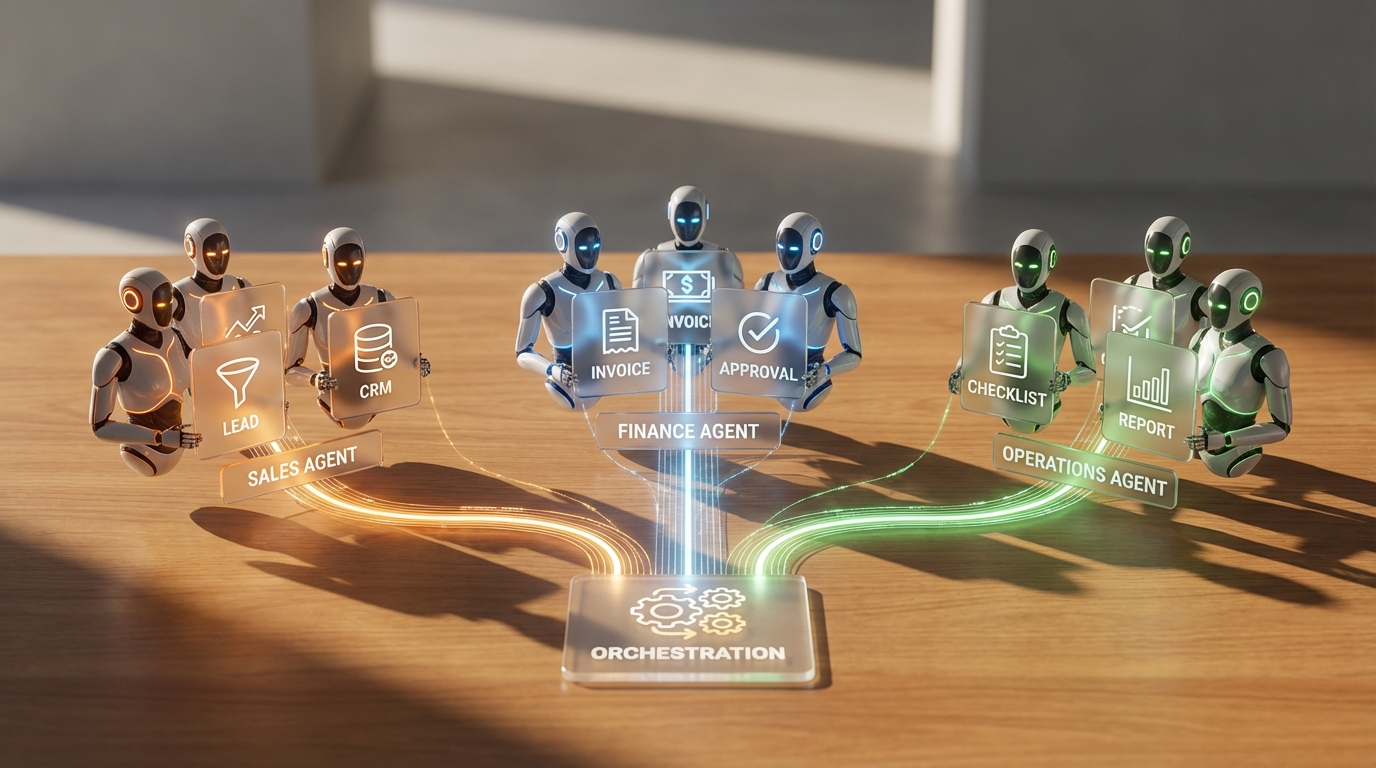
The trade-off is architectural: workspace agents are OpenAI-native. If your security team wants model diversity for vendor risk, or if marketing wants Claude while engineering wants GPT, a single-vendor agent layer does not solve the whole problem.
Read OpenAI's own rollout notes before you assume agents replace a full automation layer: Introducing workspace agents.
A five-step evaluation framework for IT and ops
Run this framework before you renew ChatGPT Business or pilot an alternative.
- Score each line 1 (low) to 5 (high).
- Seat volatility — How often do users join or leave? High churn makes per-seat pricing painful.
- Model breadth — How many non-OpenAI models are in active use today?
- Media dependency — Does the team produce images or video weekly?
- Compliance — Is EU residency or granular audit logging required?
- Continuity — Does work need to survive employee turnover in shared rooms?
Interpretation:
- Score 5 to 12: Stay on ChatGPT Business. Optimize seat types and credits.
- Score 13 to 18: Pilot a company workspace with one department for 30 days.
- Score 19 to 25: Per-seat single-vendor chat is likely the wrong long-term architecture.
If you land in the pilot zone, start with the 7-day DIMA trial (30 credits included) and mirror one real workflow: onboarding docs, weekly reporting, or campaign creative.
 Migration playbook: from ChatGPT Business without drama
A clean migration exports what matters, assigns workspace ownership, and measures adoption in week two—not day one.
Week 0: Inventory
- List active seats and last-login dates. Remove ghost accounts before you replicate them.
- Document top five use cases: drafting, research, coding, support macros, creative.
- Note which use cases require OpenAI-only features (Codex depth, specific GPTs).
Week 1: Parallel run
- Stand up the new workspace with one department, not the whole company.
- Upload the same reference files to both systems. Compare answer quality on real prompts.
- Keep ChatGPT seats for power users who need Codex-native coding workflows.
Week 2: Governance
- Move shared files and agents into department workspaces, not personal accounts.
- Set roles and spend caps before you invite wide access.
- Publish internal guidance: which tasks stay on ChatGPT, which move to the shared workspace.
Week 3: Measure
- Track active users, not invited users.
- Compare monthly spend at equal adoption levels.
- Collect one win story per team (time saved, subscriptions cancelled).
Honest caveat: if your developers depend on Codex inside ChatGPT, do not force a hard switch. Mixed stacks are normal. The goal is to stop paying twice for the same headcount.
When should you stay on ChatGPT?
Stay on ChatGPT Business if your company is small, OpenAI-centric, and does not need EU residency or multi-model chat in one thread.
DIMA is a poor fit for:
- Solo operators — ChatGPT Plus is cheaper for one person.
- Occasional users — A company workspace pays off when teams use AI daily.
- Text-only workflows — If GPT alone is enough, adding platforms adds complexity without value.
We publish those limits openly on the comparison page because the wrong buyer churns. The right buyer has ten or more people, multi-department usage, and a growing list of AI line items.
FAQ: ChatGPT Team alternative questions
Is ChatGPT Team the same as ChatGPT Business?
Yes. OpenAI renamed ChatGPT Team to ChatGPT Business in August 2025. Search queries and internal slide decks still say "Team." Procurement documents say "Business." Plan for both phrases in your research.
What is the cheapest ChatGPT plan for a company?
ChatGPT Business Standard at $20/user/month (annual) with a two-seat minimum is the lowest published company tier. Enterprise pricing is custom and typically starts around a 150-seat minimum with annual contracts.
Can I mix Standard and Premium seats in one workspace?
Yes. ChatGPT Business allows mixed seat types in one workspace, up to published seat limits. Assign Premium to your heaviest users rather than upgrading everyone.
Is DIMA a ChatGPT Team alternative?
DIMA is a fit when you want unlimited users on Premium (€129/month), multiple models in one workspace, media tools on the same bill, and EU storage by default. It is not a GPT Store clone and does not replace Codex-native developer workflows inside ChatGPT.
Full product comparison: ChatGPT Teams alternative
Do credits work like seats?
No. Seats are people with login access. Credits are usage units for chat, agents, and media. On DIMA, credits roll over until spent. On ChatGPT Business, workspace credits extend usage beyond seat limits. Different mechanics, same lesson: watch both numbers.
What should legal review first?
Data processing terms, training opt-out defaults, residency region, subprocessors, and retention periods. AI procurement is a security review, not only a feature review.
Bottom line
ChatGPT Business is still the default answer for small OpenAI-loyal teams.
- The alternative conversation starts when seats multiply faster than outcomes, when Claude and Gemini show up in shadow IT, or when EU customers ask where prompts are stored.
This guide gives you language for that meeting: TCO, seat volatility, model breadth, and continuity. The ChatGPT Teams alternative page gives you the product proof: calculator, feature comparison, and a trial you can run this week.
Next step:
- with 30 credits, or
- if you need help mapping seats to workspaces.
Sources and further reading
- OpenAI Business pricing — current Standard and Premium seat prices
- OpenAI Help Center: ChatGPT Business overview — seat types, rename note, usage limits
- OpenAI: Workspace agents — shared agents in Business and Enterprise
- DIMA: ChatGPT Teams alternative — comparison, calculator, trial
- DIMA pricing — Basic and Premium plans
Last updated: 26 August 2026. Pricing and features change; verify vendor pages before contract renewal.
 DIMA
DIMA