



Introduction: Why Most Businesses Choose the Wrong AI Tools
Sarah runs a 12-person marketing agency in Austin. Last year, she spent $4,200 on AI subscriptions. When I asked what value she got from them, she paused.
"Well... we have ChatGPT Plus for the writers. Midjourney for the designers. And I think someone bought a Jasper subscription? Oh, and there's that automation thing we tried for two weeks."
"Which one delivers the most value?" I asked.
Another pause. "I honestly don't know."
Sarah isn't alone. In 2026, 75% of small businesses are investing in AI, but most can't tell you which tools actually help and which are just burning money every month.
The AI tools that work brilliantly for a software company might be useless for a law firm. The "Top 10 AI Tools" listicles miss the most important question: Which tools fit YOUR business?
This guide is different. No hype, no vendor pitches. Just the real questions you need to ask, the mistakes to avoid, and the honest truth about what works.
The Problem: Too Many Tools, Not Enough Clarity
Walk into any business using AI in 2026 and you'll find the same pattern: tool sprawl.
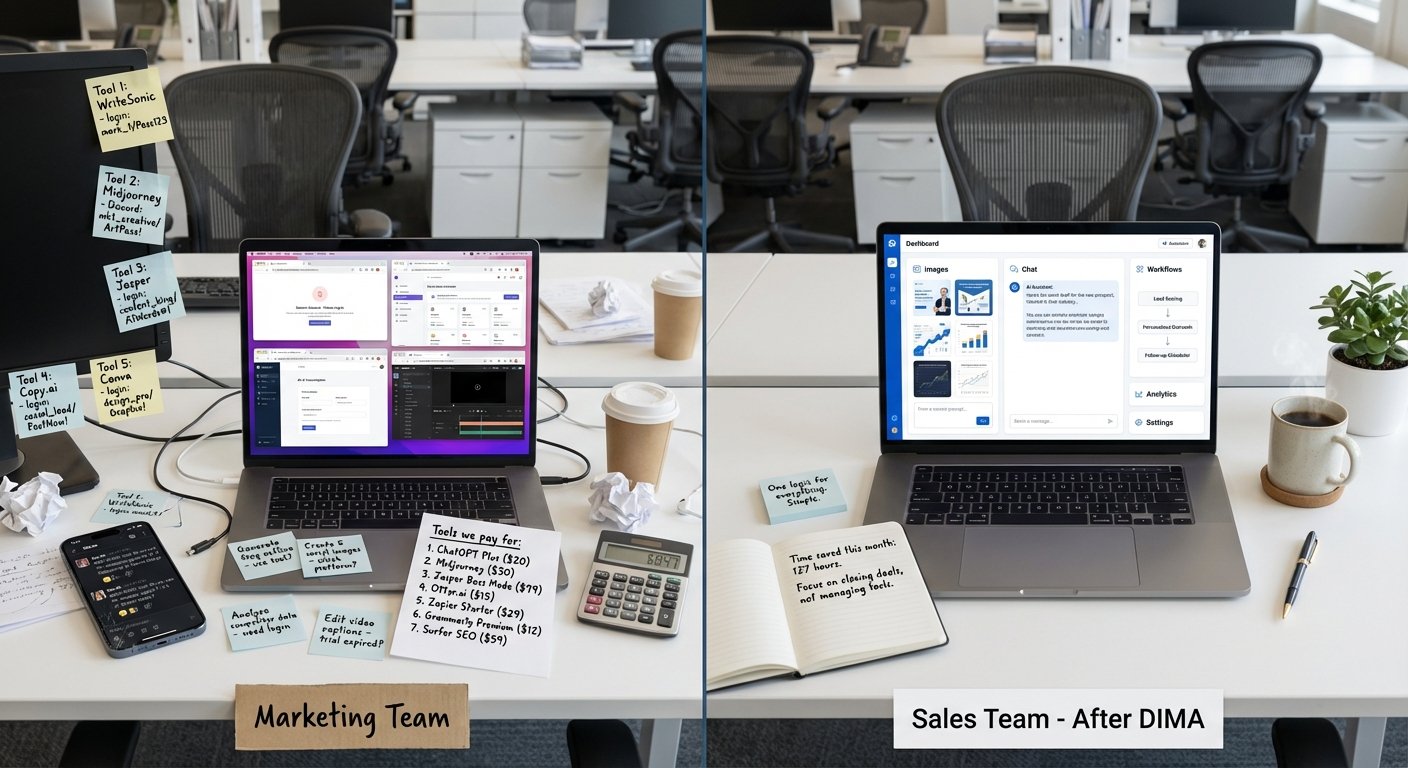
Before you know it, you're paying for 5-8 separate AI subscriptions—tools that overlap, platforms nobody uses, services that seemed essential in demos but get touched twice a month. The math adds up fast: $500-2,000 monthly, and when someone asks "What's our AI strategy?", the answer is basically "We have a lot of logins."

Here's what nobody tells you: More tools don't equal better results. Businesses with fewer, better-integrated tools consistently outperform those with sprawling AI stacks—not because they have less capability, but because their teams actually use what they have.
The 5 Questions to Ask Before Buying Any AI Tool
Forget the feature comparison charts. Before you sign up for anything, answer these five questions:
1. What Specific Problem Are You Solving?
Not "we need to be more efficient." That's too vague.
Try this: "I'm spending 6 hours every week writing customer follow-up emails, and I want AI to cut that to 2 hours."
Or: "Our designers spend 4 hours searching for stock photos. I want them spending that time on actual client work."

Why this matters: If you can't describe the problem in one sentence, you're not ready to buy a solution. Real example: A consulting firm thought they needed "better AI for content." Turns out they didn't need content creation—they needed better organization of existing content. The AI tool they almost bought would have been useless. They saved $3,000/year.
2. Will Your Team Actually Use It?
The best AI tool is worthless if it sits unused.
The adoption test: Try the free version with your team for two weeks. Watch what happens:
- Do people use it daily or forget about it after day two?
- Do they integrate it into their workflow or treat it as "extra work"?
- Do they ask how to use it better, or ignore it?
A tool has real value when people complain if it stops working.
3. Does It Fit Your Actual Workflow?
If using the tool means switching apps, copying and pasting between platforms, or logging in separately—nobody will use it consistently.
The integration question:
- Can this plug into what you already use (Google Workspace, Microsoft 365, your CRM), or does it require your team to "go somewhere else"?
Real example:
- A real estate agency bought powerful AI for property descriptions, but it required leaving their MLS system. Usage dropped to 10%. They switched to a browser extension that worked inside their existing system. Usage jumped to 85% overnight.
4. What Does It Actually Cost?
Never look at just the subscription price. Look at the total cost:
Visible costs:
- Monthly subscription: $20-500/user
- Setup fees: $0-2,000
- Per-use charges (API calls, credits): variable
Hidden costs:
- Setup time: 5-20 hours
- Training your team: 2-5 hours per person
- Integration work: 0-40 hours
- Monthly maintenance: 2-5 hours
Real example:
- A law firm signed up for a $299/month AI tool. But setup took 18 hours of partner time ($450/hour), training took 3 hours per attorney (12 attorneys × $350/hour), plus $4,500 in custom integration. Total first-year cost: $21,000—not the $3,588 they budgeted. It was still worth it (saved them $80,000), but the surprise could have been avoided.
5. How Do You Know If It's Working?
Before you buy, complete this sentence:
"This tool succeeds if it [reduces/increases] [specific metric] by [amount] within [timeframe]."
Examples:
- "Reduces proposal writing time by 50% within 60 days"
- "Increases email response rates by 20% next quarter"
- "Saves our team 15+ hours per week within 90 days"

The 90-day rule:
- Give any new AI tool 90 days to prove value. At day 90, check your metric. If it's not hitting the target, fix it or cancel. Don't let it drift for months hoping it gets better.
The 3 Biggest Mistakes to Avoid
Mistake 1: Starting with the Coolest Tool Instead of the Biggest Problem
What it looks like:
- Buying AI video generation because it's impressive, even though your business rarely needs video.
How to avoid it:
- Write down your top 3 bottlenecks. Find tools that address those—not tools that impress you in demos.
Mistake 2: Buying Before Testing
What it looks like:
- Signing an annual contract after a 20-minute sales demo.
How to avoid it:
- Insist on a free trial. Test with real work, not demo scenarios. If a vendor won't offer a trial, that's a red flag.
Mistake 3: Ignoring Security and Data Privacy
What it looks like:
- Signing up without asking where your data goes or how it's used.
How to avoid it:
- Before buying, ask:
- Where is my data stored?
- Is my data used to train AI models?
- Are you compliant with GDPR/SOC 2?
If the vendor can't answer clearly, don't use them with sensitive data.
A Simple 4-Step Decision Process
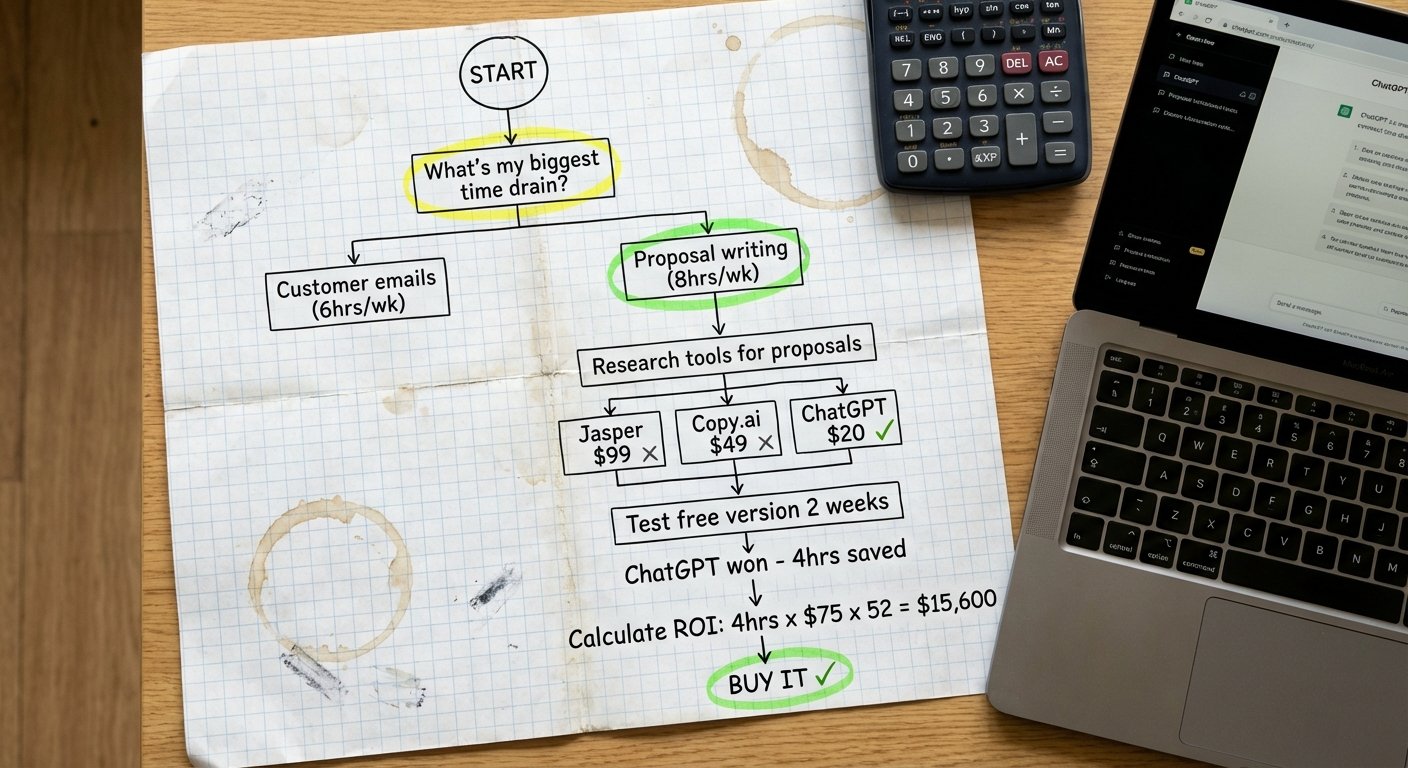
Step 1: Identify Your Top 3 Bottlenecks
Write down the three things that consume the most time, create the most frustration, or cost you the most money.
Step 2: Research Tools for Those Specific Problems
Don't Google "best AI tools." Search "AI tools for [your specific problem]." Make a shortlist of 2-3 tools per problem.
Step 3: Test Free Versions
Use each tool for at least one week with real work. Track:
- How much time does it save?
- Does your team use it willingly?
- Does it integrate smoothly?
- What's the output quality?
Step 4: Calculate ROI and Start Small
For the best performer, calculate:
Time saved per week × weeks per year × hourly rate
(Subscription × 12) + setup time + training time
(Benefits - Costs) ÷ Costs × 100
If ROI is above 150%, it's a strong candidate. Start with one tool, measure for 90 days, then decide to scale or pivot.
Individual Tools vs. Unified Platforms: Which Is Right for You?
Individual Tools Approach
Pros:
- Best-in-class for each function, flexible, often cheaper upfront
Cons:
- Tool sprawl, no integration, training complexity, higher total cost over time
Best for:
- Very small teams (1-5 people) with narrow, specific needs
Unified Platform Approach
Pros:
- One login, integrated data, centralized security, easier to scale
Cons:
- Might not be "best in class" for every function, higher upfront cost
Best for:
- Growing businesses (10+ people) that need multiple AI capabilities
Real talk:
- Most businesses start with individual tools, then consolidate into platforms as usage grows. If you're using 3+ AI tools, a platform probably makes more sense.
How DIMA Simplifies AI for Your Business
Most businesses fail at AI because they're juggling too many disconnected tools. DIMA solves this with a unified platform designed for results, not complexity:
One Platform, Every Capability
AI assistants, media generation, automated workflows, and agent orchestration—all in one place. No more managing 8 different subscriptions.
Built for Real Businesses
No technical skills required. Visual kanban interface. Plain language configuration. Your team builds AI workflows without code.
Measurement Built In
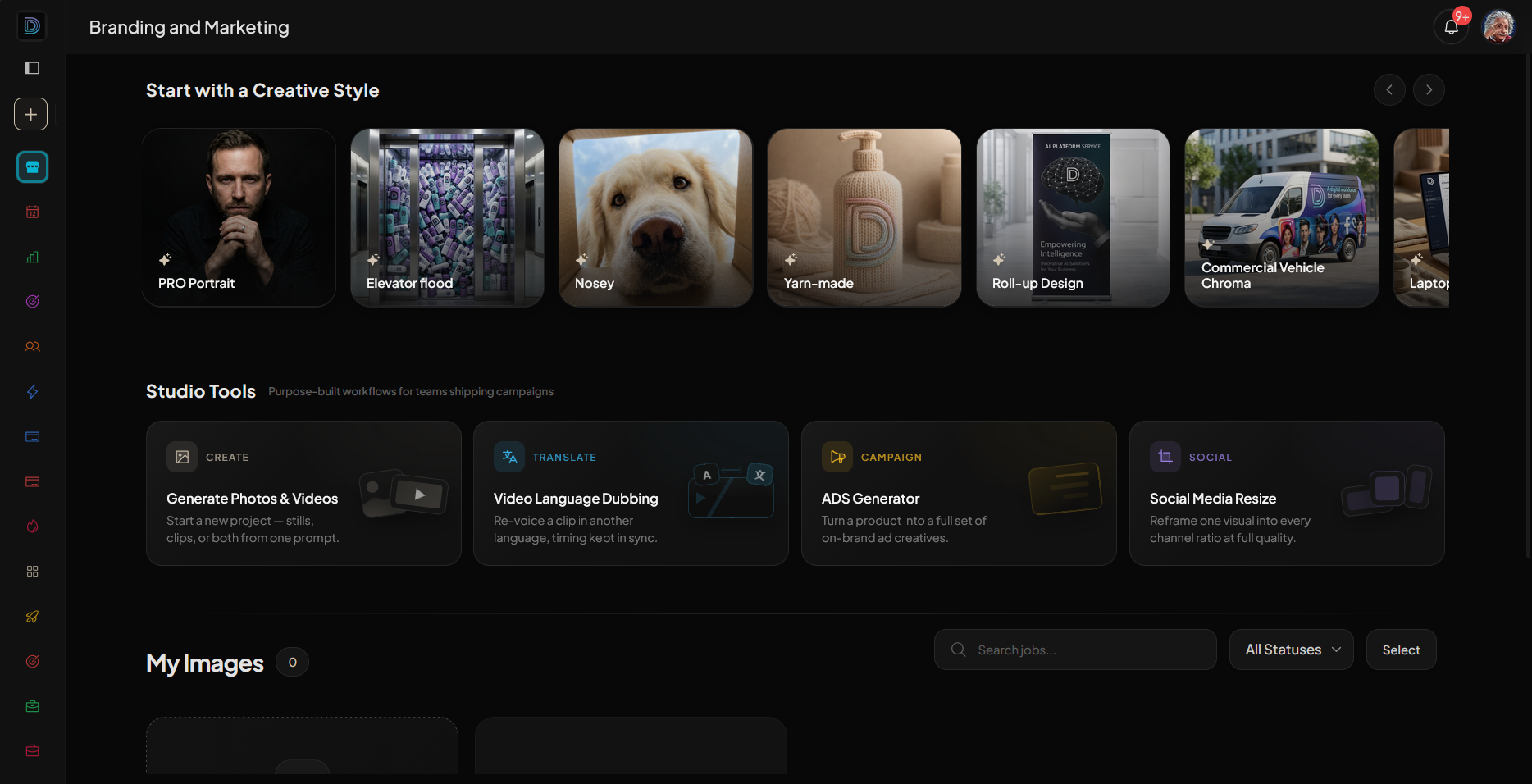
Track time saved, costs per workflow, quality metrics, and team adoption. Always know what's working. START TODAY FOR FREE.
Conclusion: Stop Collecting Tools, Start Solving Problems
The businesses winning with AI in 2026 aren't the ones with the longest list of subscriptions. They're the ones who:
- Identified specific, expensive problems first
- Tested tools thoroughly before committing
- Measured results honestly at 90 days
- Simplified instead of accumulated
- Focused on adoption over features
Start there. Pick one problem. Find one tool. Test it properly. Measure the results. Then decide whether to scale, optimize, or move on.
Ready to find AI tools that actually fit your business?
 DIMA
DIMA


 DIMA Team