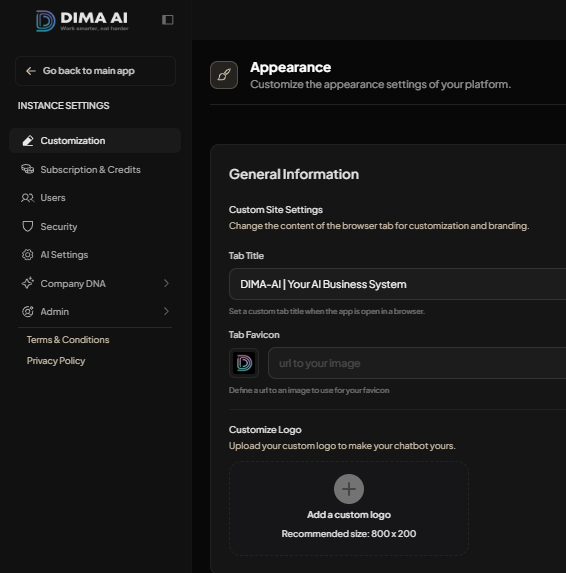
The Appearance section lets you customize your DIMA platform in order to better matches your brand and workspace identity.It’s a simple way to make your workspace feel more customized, professional, and ready to use.
Access
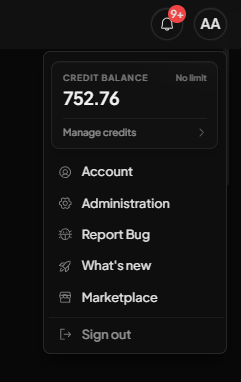
The Appearance setings can be found in the Administration section which is accesible from the User icon in the top-right corner of the screen. Click the icon to open the dropdown menu, then select the Administration tab, which is the second option.
Customizations
The Appearance section gives you control over how your DIMA platform looks and feels, so you can make it better match your brand and workspace identity.
You can update the following features:
- Tab title — Change the text shown in the browser tab to reflect your platform or company name.
- Favicon — Add a custom icon that appears in the browser tab and helps users recognize your platform quickly.
- Logo — Upload your own logo to personalize the platform and make it feel aligned with your brand.
- Brand appearance — Adjust the overall visual identity so the platform looks more polished and tailored to your workspace.