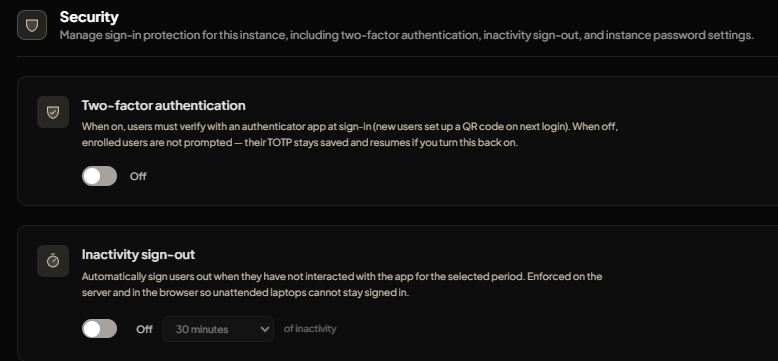
The Security section gives you control over the sign-in protection settings for your DIMA instance. From here, you can manage authentication and session behavior to help keep access more secure.
Access
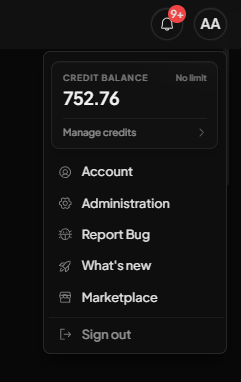
The Security setings can be found in the Administration section which is accesible from the User icon in the top-right corner of the screen. Click the icon to open the dropdown menu, then select the Administration tab, which is the second option.
SECURITY
This area is designed to make security management simple while still giving you the key controls you need for protecting your workspace.
Two-factor authentication: When this setting is enabled, users must verify their sign-in with an authenticator app, adding an extra layer of protection to their account access.
Inactivity sign-out: This setting automatically signs users out after a period of inactivity, helping reduce the risk of unattended sessions staying open.