
In DIMA, the Subscription & Credits section gives you a clear overview of how your account is being used and what is available in your plan. You can quickly check your credit balance, subscription status, and account details from one central place.
Access
The Subscription & Credits setings can be found in the Administration section which is accesible from the User icon in the top-right corner of the screen. Click the icon to open the dropdown menu, then select the Administration tab, which is the second option.
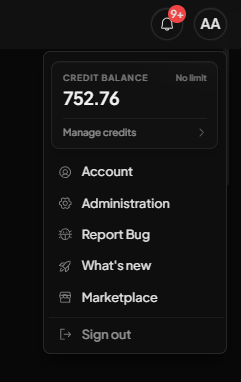
Subscription & Credits
This section is especially useful when you want to understand usage, review spending, or keep track of your available resources. It helps you manage your workspace more efficiently and stay in control of your subscription activity
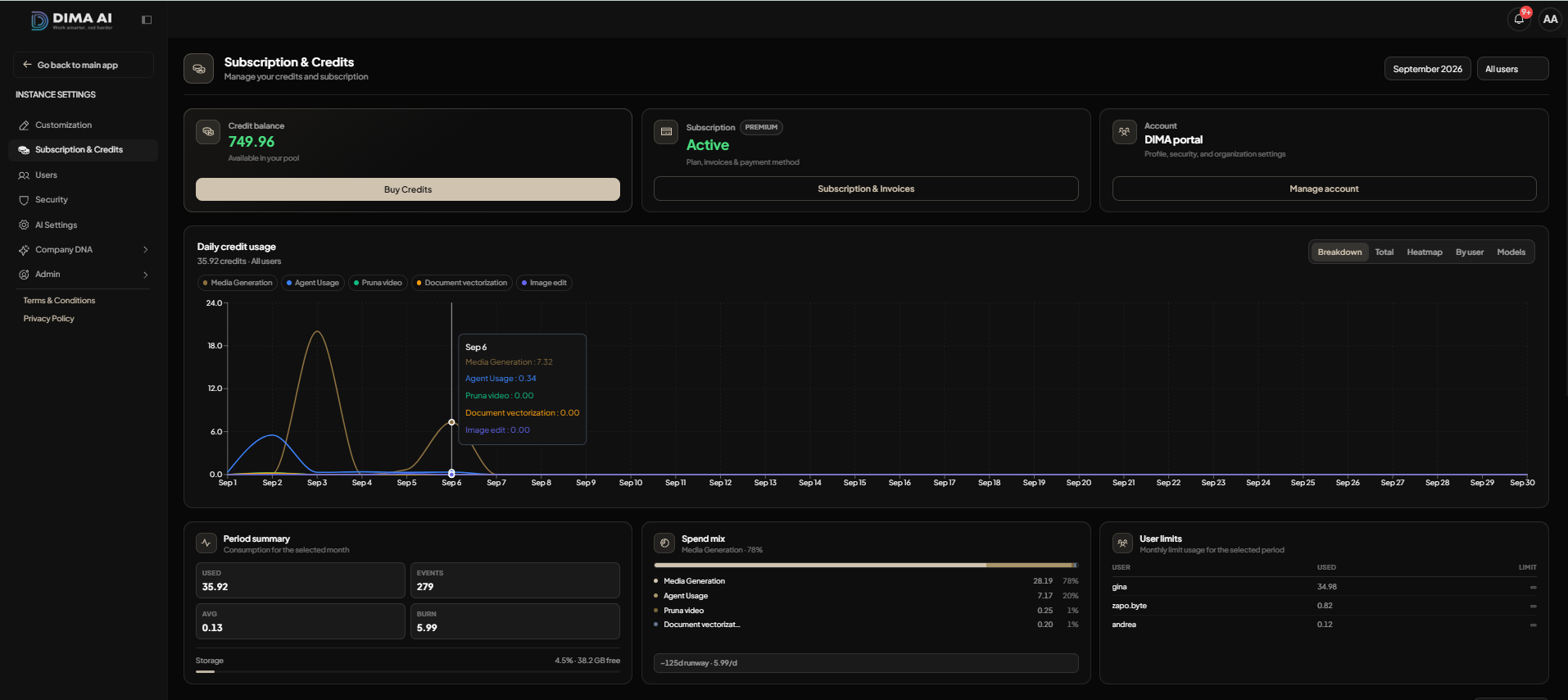
- Credit balance: This area shows how many credits you have available in your pool, so you can monitor your remaining usage at a glance.
- Subscription: This area shows your current plan status and gives you access to subscription and invoice details when needed.
- Account:This area provides access to your account settings, where you can manage profile, security, and organization information.
- Daily credit usage: This chart helps you track how credits are consumed over time, making it easier to understand usage patterns across different tools and actions.
- Period summary: This section gives you a quick overview of total usage, events, average consumption, burn rate, and storage information for the selected period.
- Spend mix: This section shows how your credits are distributed across different activity types, so you can see where usage is concentrated.
- User limits: This section displays usage by user, helping you monitor individual consumption across the workspace.
Transaction History
The Transaction History section in DIMA gives you a detailed view of your credit activity. You can search, filter, and review transactions so you always know how your credits are being used.
This section is useful when you want to inspect a specific action, track recent usage, or export transaction data for reporting. It gives you a simple and reliable way to manage credit history across your workspace.
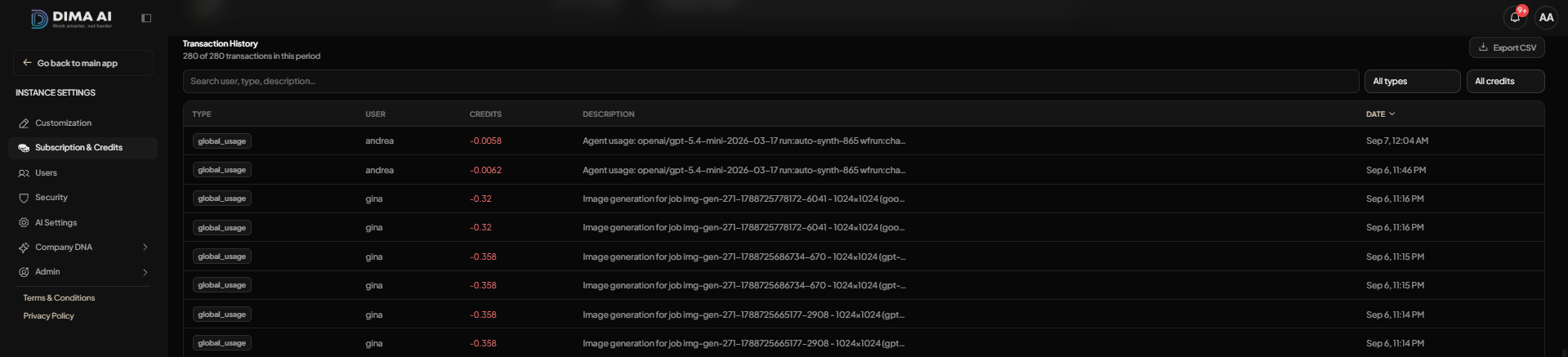
- Search bar: Use the search field to quickly find transactions by user, type, or description.
- Filters:Use the filters to narrow the list by transaction type or credit category.
- Transaction table: Review each transaction in a structured table with type, user, credit amount, description, and date.
- Export CSV: Download the transaction history as a CSV file when you need to analyze or share the data outside DIMA.